

Clubs & classesSmart logic
Trivia quiz
A scored quiz that tells people how they went.
6 questions · about 1 min
See the template
Scores, totals, and quizzes
Keep a running total as people answer, give points to each choice, and show the result on the ending. Good for price quotes, quizzes and quick calculators.
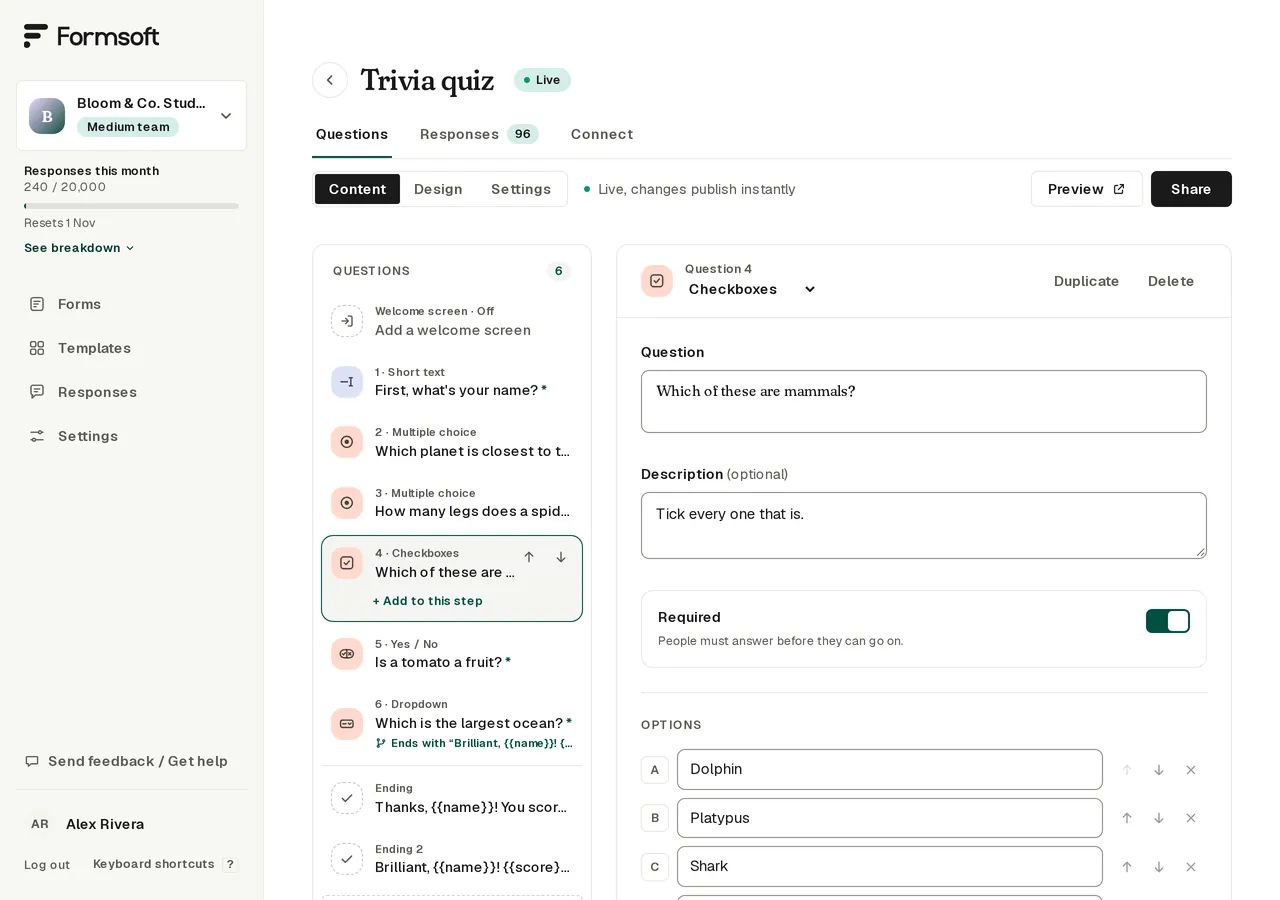
Keep a running total as people answer, for price quotes, scores or a result like their personality type.
Tick the right answers, choose what each is worth, and the ending can say “You scored 8 out of 10”.
Show it in later questions and endings, send high scorers to a different ending, and find it saved with every response.
Open a question and add a calculation step, or tick the right answers for a quiz.
Put the result in an ending, like {{score}}.
Publish. Each response keeps its own result.
Clubs & classesSmart logic
A scored quiz that tells people how they went.
6 questions · about 1 min
See the template
Leads & enquiries
Give people an instant estimate as they answer.
6 questions · about 1 min
See the template
Clubs & classesSmart logic
Work out body mass index from height and weight.
3 questions · about 1 min
See the template
Every plan, including Free.
Only if you put it on an ending. You can also keep it to yourself and just see it in your responses.