

Bookings
Appointment booking
People pick a free time from your hours and get a calendar invite.
4 questions · about 1 min
See the template
On Pro and up
Lay out a simple document once, like a receipt, a certificate or a signed agreement. Each new response fills it in, and it's waiting in your inbox and theirs.
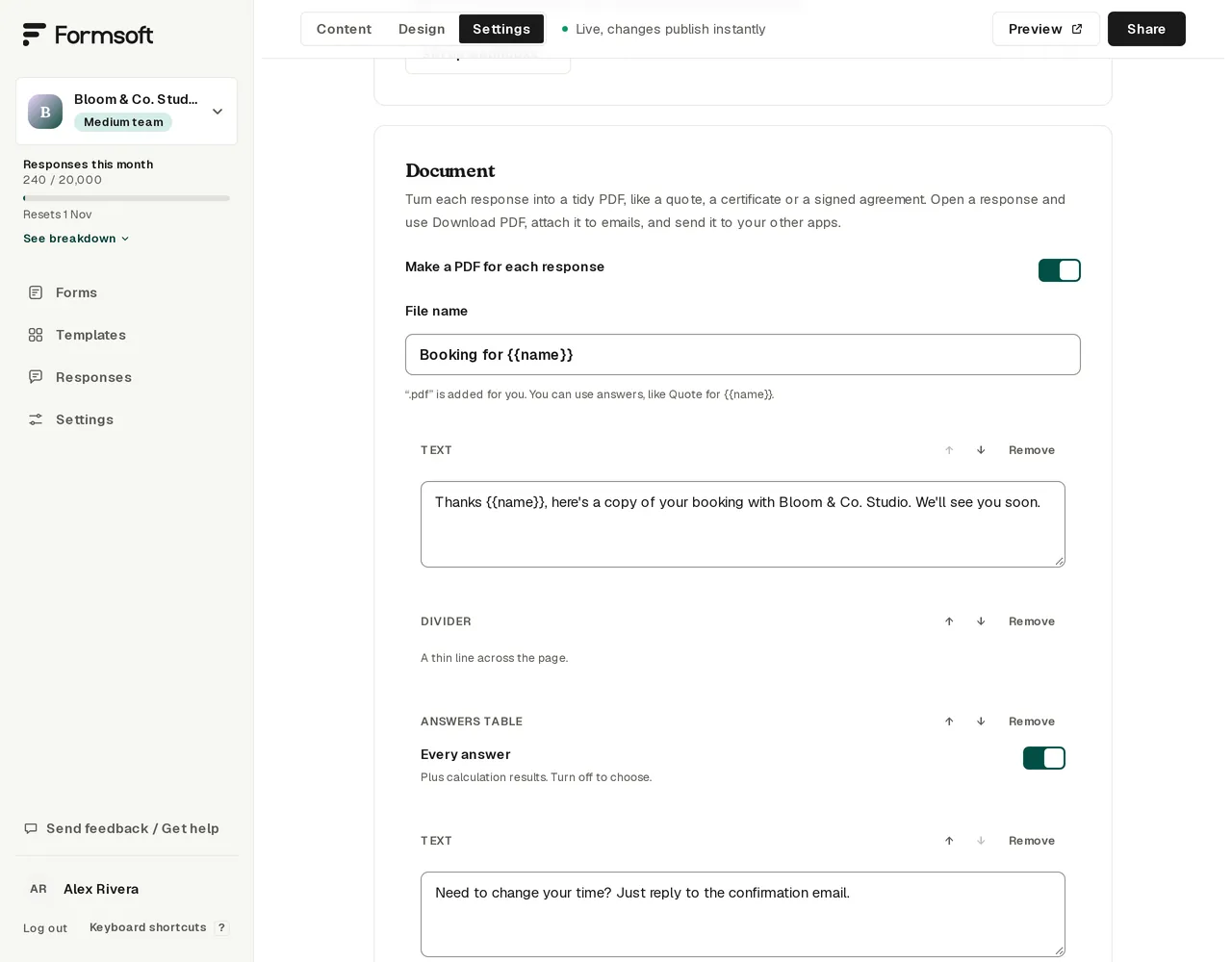
Headings, text with answers filled in, a table of answers, your logo, a signature and dividers. Move them up and down until it looks right.
Attached to new-response emails and to people's copy of their answers. Turn either off if you'd rather not.
Every response has a download button, and webhooks include a private link to the PDF.
Open the form's Settings and turn on the PDF document.
Add blocks and use {{reference names}} in the text.
Preview it with your latest response, then save.
Bookings
People pick a free time from your hours and get a calendar invite.
4 questions · about 1 min
See the template
Leads & enquiries
Give people an instant estimate as they answer.
6 questions · about 1 min
See the template
EventsSmart logic
Know who's coming, how many, and any dietary needs.
5 questions · about 1 min
See the template
Every paid plan: Pro, Small team, Medium team and Business.
Yes. Use them in text like any answer, and the answers table can include them too.