

Feedback
Customer feedback
Hear what people loved and what to improve.
6 questions · about 1 min
See the template
Search, tag, and export
When someone sends your form, their answers appear in your dashboard under that form. No more digging through your inbox.
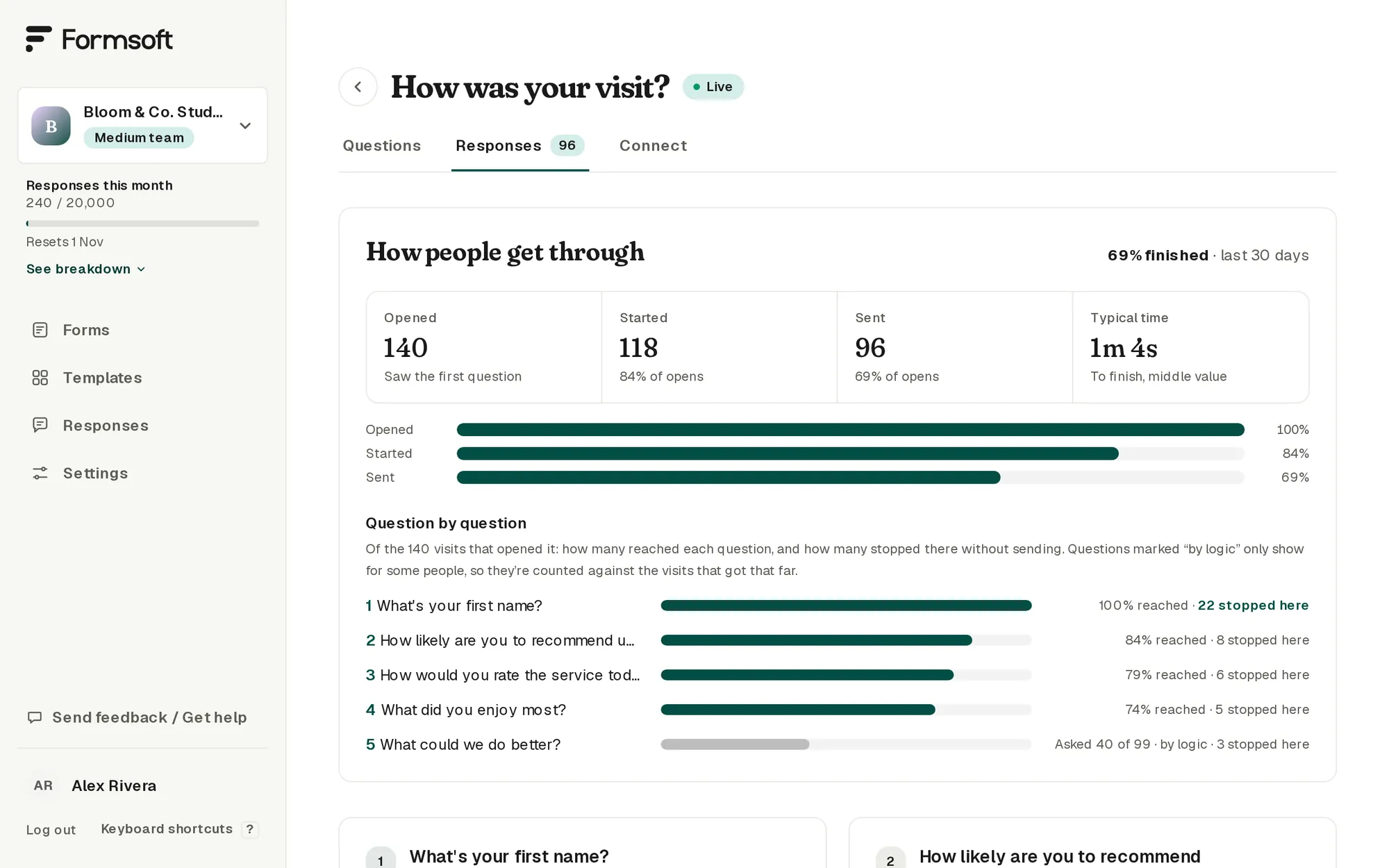
Each response is laid out question by question, so you can take it in at a glance.
See how many people opened, started and finished each form, and where anyone stopped.
Every form you've made, together on one screen.
Someone fills in your form.
Their response appears in your dashboard.
Read it whenever you've got a minute, or get an email the moment it arrives.
Feedback
Hear what people loved and what to improve.
6 questions · about 1 min
See the template
Feedback
Ask happy clients for a quote, and permission to use it.
6 questions · about 1 min
See the template
Leads & enquiries
Understand a new client's project before the first call.
8 questions · about 2 min
See the template
Straight to your dashboard, under the form they came from. You can get an email for each one too.
Yes, as a CSV file, on every plan, Free included.